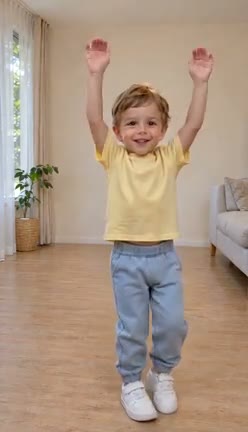
01 · 00:02 · Lift into the beat
Both arms reach overhead as the opening groove sets up the turn.
YOUR PHOTO. THE FULL ROUTINE.
Turn your photo into the full Pick It Up routine. Hands up, turn around, drop into the bounce—with music included.
Compare the original studio portrait with its native 720p dance. The child demo is also available below. Create your own 14-second routine in native 480p or 720p.
One person, front-facing and fully visible, with clear hands and feet. Use an adult photo with consent, or a child photo only with parent or legal-guardian permission. JPG or PNG up to 10 MB. Solo only—no pets or synced groups.
See the transformation
The portrait sets the dancer, outfit and room. Our prepared choreography brings the movement. Both studio demos pair the input shown with its generated dance and music. The woman in a black camisole and white yoga leggings is the original native 720p example. The child in a yellow shirt is an additional compressed preview. Both characters are authorized AI creations.
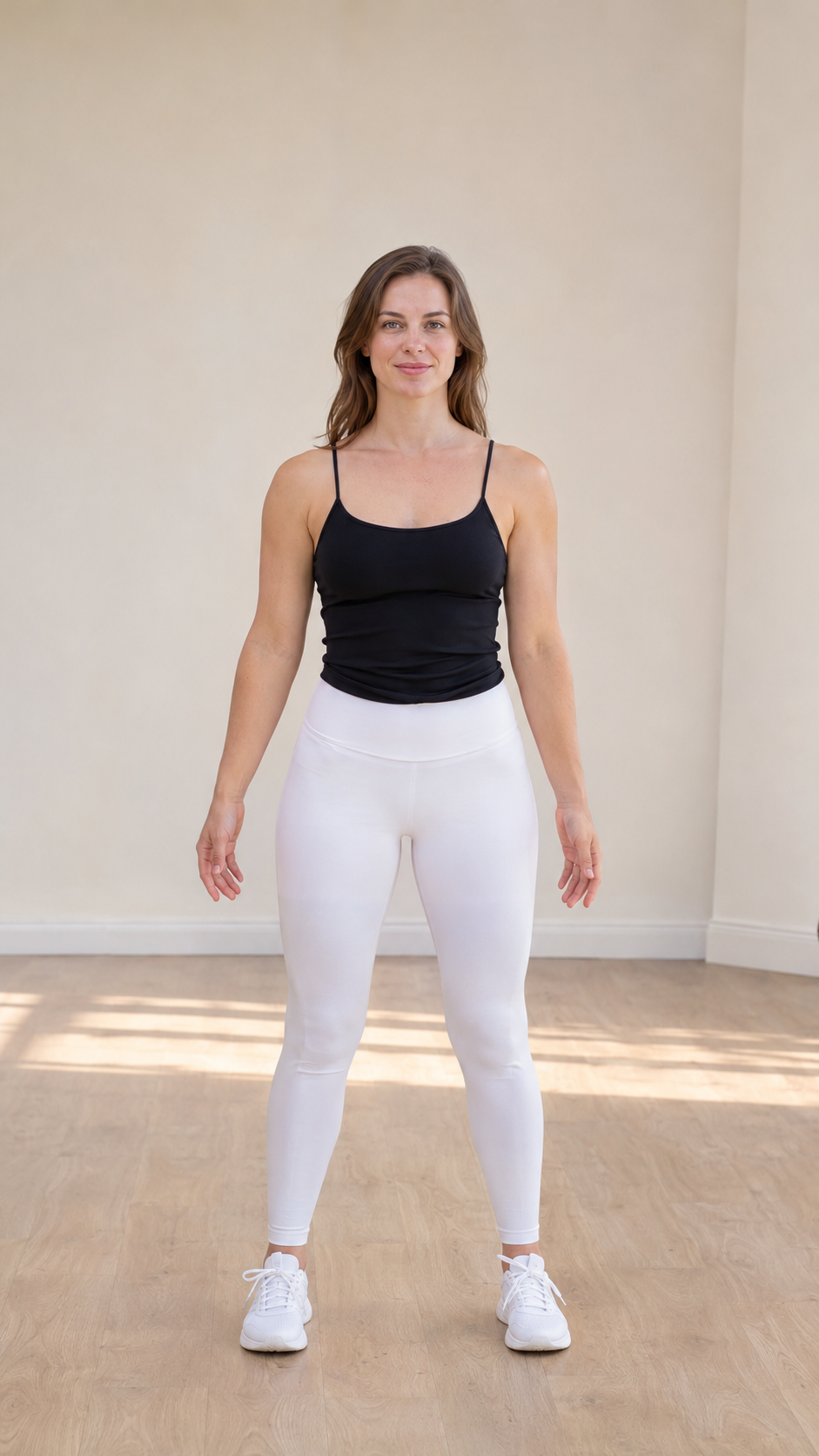
Generated dance from the input photo shown · music included
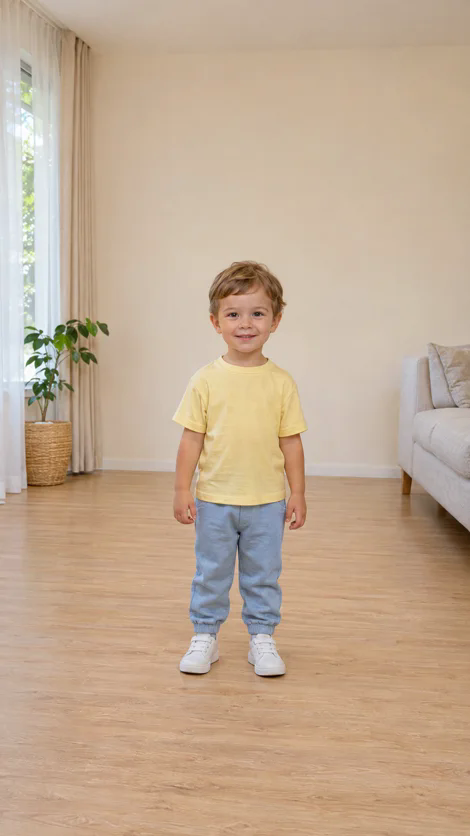
Generated dance from the input photo shown · music included
Choose your workflow
| Film and edit the routine | Pick It Up Dance studio |
|---|---|
| Perform the choreography for the camera | Start with one existing permitted photo |
| Arrange the shoot and record your takes | Use the ready-to-go dance routine |
| Build a timeline and add your soundtrack | Generate the routine and receive the included music edition |
| Prepare separate music and silent exports | Download both MP4 editions from the completed task |
Make your dance
Use your own photo or one you have permission to transform. Face the camera with the full body, hands and feet visible. Choosing a file in the signed-in generator uploads it for processing.
14s · 9:16 · 480p: 11 credits · 720p: 22 credits. Choose the video quality and confirm the credit charge before generating. Buy a credit pack if needed.
Submit once and track the task in your account. The model generates silent video; we add the fixed licensed track afterwards. Download the music copy and silent original, then check the result before sharing.
Choose your creative workflow
CapCut: find a template in-app and edit slots. Multi-trend AI sites: many dances on one domain. Pick It Up AI: a dedicated Pick It Up / Make It Jump page—one permitted photo, prepared solo routine, native 480p or 720p, music + silent MP4, and you can see the video quality and credit cost before credits are charged. Independent tools; no affiliation implied.
Inside the trend
Pick It Up AI turns one permitted photo into a vertical dance built around an arms-up entrance, a back-facing turn, a return to camera and a low, wide-stance bounce. Your photo supplies the character, clothing and setting.
You will also find this routine under Make It Jump AI and Put Your Hands Up. Pick It Up Dance has the dance and soundtrack ready for you—choose a photo, select native quality and create.
Every completed dance has a music MP4 and a silent original. Start with $9.90 for exactly 22 credits: one full native 720p dance, or choose 480p for 11 credits.
Read the dance and photo guideYour dance studio
Bring one front-facing, full-body photo with permission. Your photo sets the outfit and scene. Real child photos require parent or legal-guardian permission.
The turns, sways and bounce are ready to go. Choose your photo and quality to make the dance yours.
Choose original 480p or 720p generation for the same 14-second dance. 720p is generated at HD resolution, not enlarged afterwards.
Get the dance with its included licensed soundtrack and a silent MP4 for adding permitted platform audio. Both downloads use the same generated visuals.
480p: 11 credits · 720p: 22 credits. Choose a one-time pack, see the charge and submit when you are ready. Buying credits does not start a video.
9:16 MP4 output fits the short-video format. Preview the finished dance, download your preferred edition and share it with an AI disclosure.
Inside our studio demo
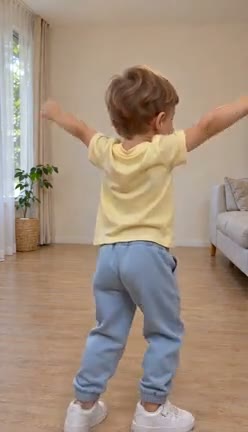
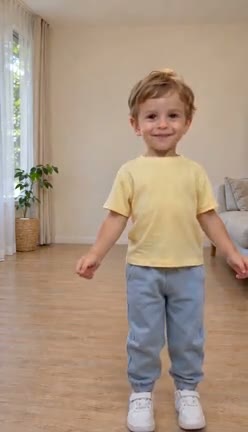
Follow four frames taken from the child preview above. The same character, yellow shirt, blue trousers and room carry through this additional studio example.
Both arms reach overhead as the opening groove sets up the turn.
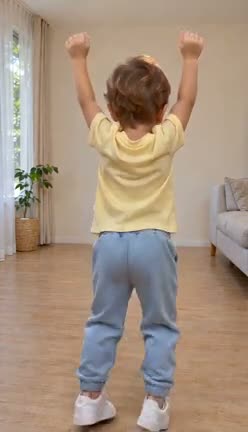
The dancer faces away and carries the rhythm through a standing weight shift.
The face returns to view as the arms lower and the stance changes.
A low, wide stance delivers the routine’s closing groove.
Make it personal
The motion stays prepared. Your photo changes the person, the look and the setting.
Use a full-body photo in your favourite outfit. Turn a familiar image into a moving introduction for your profile or feed.
With their permission, create a separate solo dance from their photo. Send the finished clip as a birthday greeting or group-chat surprise.
Start with a clear portrait in your own visual setting. Add the dance to a personal channel, outfit post or creative edit, and label it as AI-generated.
Set up a strong input
Use JPG or PNG up to 10 MB. A clear photo gives the model the visual information for the face, clothes and scene.
Face the camera with your face, outfit, hands and shoes in view. Adult permission or parent/legal-guardian permission for a real child is required.
Keep generous headroom and clear space around the feet. The routine includes overhead arms, a turn and a wide stance.
Choose even lighting, a sharp image and a simple background. Avoid crowded frames, heavy occlusion and tight crops.
The sound and the scene
Your finished video includes our prepared licensed soundtrack. Explore the creator references below for different takes on the dance. These links lead to creator posts, not examples generated by this studio; they do not grant a licence to reuse a platform’s original sound.
Follow the creator post linked with the trend’s sound credit. Use the music edition included with your download, or choose permitted audio for the silent edition.
Open the sound-credit postWatch an outdoor interpretation of the raised-arm entrance, turn and low bounce.
Watch the creator postSee the routine performed in an everyday office setting, with the same recognisable change from turn to bounce.
Watch the creator postExplore a two-person community interpretation. This studio creates one performer from one photo.
Watch the creator postTake it to your feed
Download the completed dance from your account. The vertical MP4 is ready for your next short-video edit.
Use the included music MP4 for a finished clip. Choose the silent MP4 when adding audio you are permitted to use in your platform account and territory.
Write your own caption and mark the video as AI-generated. Useful discovery tags include #PickItUpDance, #MakeItJump and #AIDance; reach depends on your post and audience.
Preview the full MP4 in your account before posting, then save your copy: completed outputs follow the 30-day site cleanup schedule described in the privacy policy.
Photo processing & retentionOne-time credit packs
720p from $9.90 · 22 credits = one native 720p (or two 480p) · No subscription. Music + silent MP4 downloads included.
A quick start in 480p
$6.99
11 credits
1 × 14s · 480p
From $9.90 · 22 credits = one native 720p (or two 480p) · No subscription
$9.90
22 credits
1 × 14s · 720p · or 2 × 480p
More looks, more room to create
$18.99
33 credits
3 × 480p · or 1 × 720p + 11 credits
A collection of your own dance clips
$49.99
88 credits
4 × 720p · or 8 × 480p
One-time USD purchases, with no subscription or automatic renewal. 480p uses 11 credits; 720p uses 22. Review the final amount and refund policy at checkout.
Photo permissions, native quality, credits and downloads.
Contact supportSign in with Google or an email code, upload one permitted photo and select 480p or 720p. Check your photo and 14-second video option, then generate with your available credits. The dance reference and soundtrack are already prepared.
One person, front-facing, full body, clear hands and feet, with room to move. JPG or PNG up to 10 MB. For a real child, obtain parent or legal-guardian permission before uploading. No pets or synced groups.
Photo checklistThe photo guides identity, age appearance, hair, proportions, clothes and scene. The reference supplies movement order, rhythm, turns, hip sways and bounces. The reference performer and room are not the intended identity or scene.
This release accepts one photo of one person. Two photos and two performers are not supported.
14s, 9:16: 480p: 11 credits · 720p: 22 credits. Both are native generation options for the same prepared routine, not an upscale. Site credits differ from provider credits. The original woman demo is native 720p; the additional child demo is a compressed page preview. Your selected resolution controls native generation.
The model is explicitly asked for silent video. We then add the authorized fixed track from the start and offer both music and silent MP4s. We do not loop the track or change video speed. A license for this soundtrack does not grant unrestricted reuse of source media.
Yes for the prepared routine: arms up, turn away, return to camera, wide-stance bounce—same structure as the sample. Your photo sets the person, outfit and room. Preview the full MP4 in your account before posting.
Choosing a file in the signed-in generator uploads it to the site. Authorized generation shares the photo and reference with our video generation provider. Site cleanup is scheduled after 7 days for uploads and 30 days for completed outputs; active tasks and third-party retention follow the privacy policy.
Confirmed failures return charged generation credits. Processing or unknown submissions must recover their original operation; changing quality must not create a duplicate charge. Returned credits are separate from payment refunds.
Use your own photo, another adult with permission, or a fictional character you have rights to use. A real child photo requires parent or legal-guardian permission for upload, video-provider processing and dance creation. Accounts are for adults only. No celebrities, public figures, deceptive impersonation, sexualized content or abuse.
Choose One HD Dance: $9.90 for 22 credits, exactly the charge for one 14-second native 720p video. It can also cover two 480p requests. Buying credits does not start generation automatically.
Yes. The dance and soundtrack are ready. Upload one permitted photo, choose your quality and check the credits before creating.
Both editions belong to the same generated dance. Adding the prepared soundtrack and downloading either MP4 does not create another model request or charge another generation fee.
Download the silent MP4 and add audio you have permission to use. The included soundtrack licence does not give you unrestricted rights to a TikTok original sound or to separately redistribute source music.
Completed outputs are scheduled for cleanup after 30 days; active-task handling and storage backstops are explained in the privacy policy. Download and keep your own copy.
Start with one full-body photo. $9.90 gets the credits for your first native 720p dance.
Make my Pick It Up dance · $6.99+